How to Reduce Image Size Before Uploading
Make images smaller for forms, websites, messages, and documents while keeping the result readable and useful.
Open Image Compressor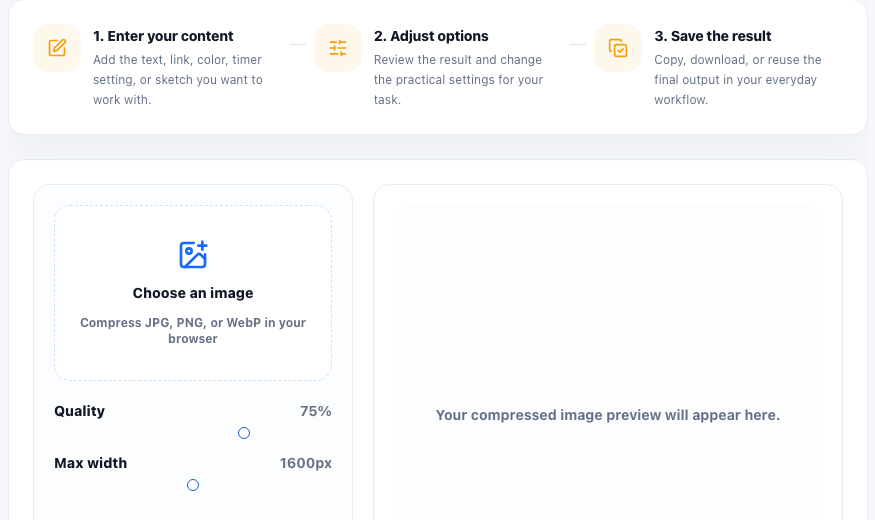
Image upload limits often appear when you are almost finished with a form, profile update, document submission, or website edit. The file may be visually fine, but too large for the system accepting it.
Why image files get too large
Large image files usually come from high camera resolution, heavy PNG screenshots, large dimensions, or quality settings that preserve more detail than the upload needs. Reducing file size is about matching the image to its real use.
A safe compression workflow
- Upload the original image.
- Choose a compression setting that reduces size without destroying readability.
- Preview the compressed result and open it larger when text, faces, product details, or important edges matter.
- Download the compressed image.
- If the image is still too large, resize dimensions before compressing again.
Compression versus resizing
Compression changes how efficiently the image is stored. Resizing changes the image dimensions. If an image is thousands of pixels wide but will be displayed small, resizing can reduce file size more effectively than compression alone.
Compressing stitched images
When a workflow creates one long image from multiple previews, such as stitched PDF pages or stitched uploaded images, compression becomes the final cleanup step. Preview the stitched output first, then reduce max width or quality until the file is small enough while keeping document text and page boundaries readable.
When quality matters most
Keep more quality for documents with text, product images, ID scans, diagrams, and screenshots. Use stronger compression for casual previews, thumbnails, or images that only need to communicate a general visual.
FAQ
Should I compress or resize an image first?
If the dimensions are much larger than needed, resize first. If the dimensions are already right, compress first.
Why does compressed text look blurry?
Text and sharp edges are sensitive to strong compression. Use a lighter setting or a larger image size when readability matters.
Can image compression reduce upload errors?
Yes. Smaller image files are less likely to exceed upload limits and usually transfer faster.
Can I compress a stitched image?
Yes. After creating a stitched image from multiple previews, use compression controls to reduce the final JPG size before downloading or uploading it.