Convert the CSV, Validate the JSON, and Generate Types Before the API Contract Hardens
Turn a spreadsheet export into validated JSON and starter TypeScript types with a download or copy exit after every major step.
Open CSV JSON Converter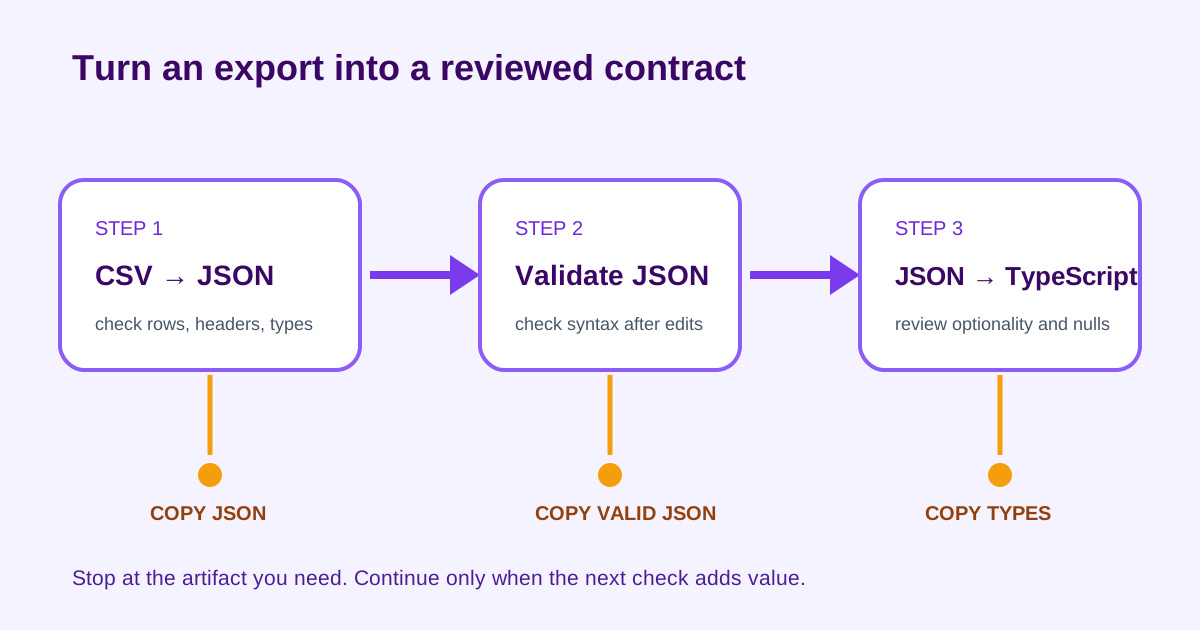
A partner sends a CSV sample, a developer hand-converts two rows into JSON, and the client interface is written against the tidy sample rather than the real export. Empty cells, repeated headers, and number-like identifiers then surface only after integration. A short tool chain makes the transformation inspectable before the contract hardens.
The three-tool order
- CSV JSON Converter: transform the complete representative export into JSON.
- JSON Validator: confirm that the copied or edited result remains syntactically valid.
- JSON to TypeScript: generate starter interfaces from the validated representative shape.
Step 1: convert the real CSV sample
Include rows that exercise empty cells, quoted commas, leading zeros, and optional columns. After conversion, check whether each record has the expected keys and whether values that look numeric—postal codes, account IDs, version strings—must remain strings. Stop here and copy the JSON if the immediate job is an import fixture or API example.
Step 2: validate after any hand edit
Paste the JSON into JSON Validator after removing rows, renaming keys, or redacting values. Validation catches structural syntax such as missing commas or quotes; it does not prove that field meanings and types match the business contract. Stop here when the handoff needs clean, valid JSON but no code types.
Step 3: generate starter TypeScript types
Send a representative validated object or array to JSON to TypeScript. Review optionality, unions, nulls, nested arrays, and identifier types before committing the result. A generated interface is a starting observation from the sample, not evidence that every future record has the same shape.
Decision checks at each exit
- After conversion: do row counts, headers, empty values, and quoted fields still match the CSV?
- After validation: is the JSON syntactically valid and safely redacted for its destination?
- After type generation: did the sample include every optional and exceptional shape the interface must represent?
- Before shipping: save the source CSV, approved JSON fixture, and reviewed TypeScript definition together so drift is visible.
FAQ
When should I stop after CSV to JSON?
Stop when the verified JSON itself is the deliverable, such as an import fixture or example payload. Continue only if you need syntax validation after edits or starter code types.
Does valid JSON guarantee the data contract is correct?
No. Validation confirms JSON syntax. You still need to review required fields, value meanings, nullability, and domain rules.
Can generated TypeScript types be used without review?
Treat them as a starting point inferred from the sample. Review optional fields, nulls, unions, identifiers, and exceptional records before using them as a contract.
What makes this a reliable multi-step tool workflow?
Each step has a visible input, a check, and a copy or download exit. That lets you stop with a verified artifact instead of continuing by habit.