Format the CSS, Audit the Rules, Minify the Approved Copy, and Preview Before It Reaches the Page
Move a copied stylesheet through CSS Formatter, CSS Minifier, and HTML Preview with a clear copy exit after every verified stage.
Open CSS Formatter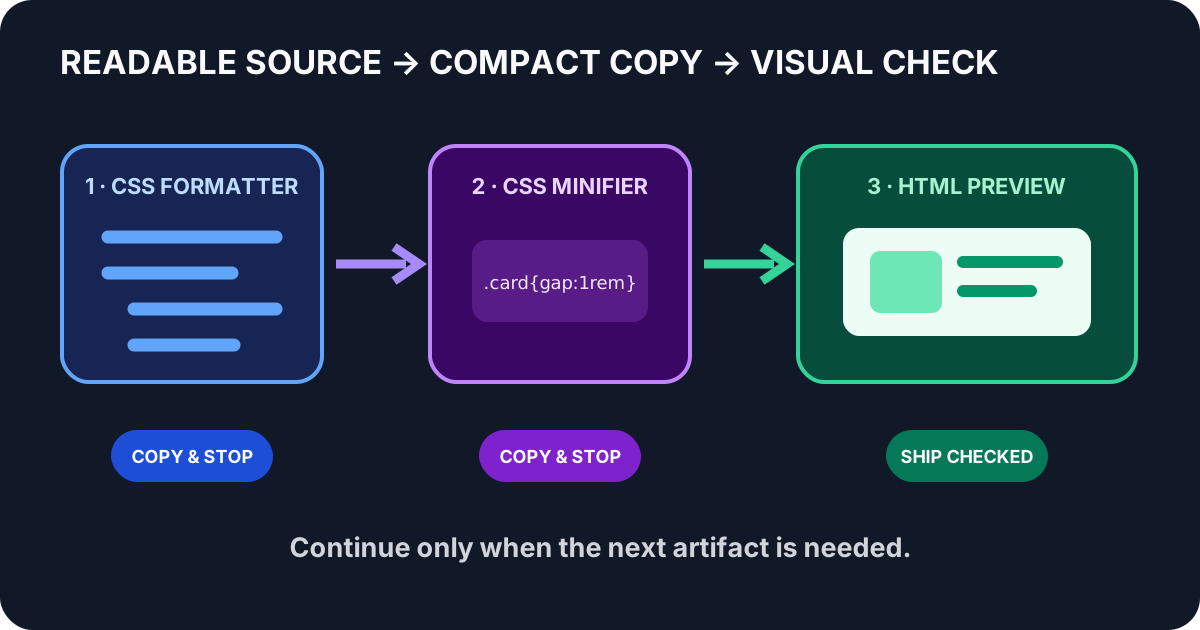
A compact stylesheet is copied from a CMS field, edited directly, and pasted into a page. The visual regression appears only after publishing because the source was hard to inspect and the final compact copy was never tested with representative markup. A three-tool chain makes each transition visible.
The three-tool order
- CSS Formatter: expand the copied stylesheet into readable rules.
- CSS Minifier: compact only the reviewed and approved version.
- HTML Preview: test the minified CSS with representative HTML before the handoff.
Step 1: format before you audit
Paste the complete relevant stylesheet into CSS Formatter. Review selector boundaries, repeated declarations, custom-property names, media-query nesting, and comments that carry operational meaning. Stop here and copy the formatted result when the task is code review, debugging, or documentation.
Step 2: minify the approved copy
Send the reviewed stylesheet to CSS Minifier. Compare the first and last selectors, check that strings and data URLs remain intact, and keep the formatted source as the maintained version. Stop and copy the minified output when a trusted build or CMS field will perform the final rendering check.
Step 3: preview representative markup
Place a small but representative HTML sample and the minified CSS into HTML Preview. Exercise hover, focus, narrow-width, empty, long-text, and disabled states that matter to the component. The preview proves the sample behaves as expected; it does not replace regression testing across the full application.
Decision checks at each exit
- After formatting: are rule boundaries readable and are any comments required for licensing or maintenance?
- After auditing: is this exact formatted version the approved source of truth?
- After minifying: do strings, URLs, custom properties, and the opening and closing rules remain complete?
- After previewing: do representative states, content lengths, and viewport widths still render correctly?
- Before shipping: store the readable source and treat the compact output as a replaceable delivery artifact.
FAQ
When should I stop after CSS Formatter?
Stop when the deliverable is readable CSS for review, debugging, or documentation. Minify only when a compact delivery copy is actually needed.
Should minified CSS become the maintained source?
Usually no. Keep the formatted, reviewed stylesheet as source and regenerate the compact copy when needed.
What should the HTML preview include?
Use representative markup and test the important interaction states, content lengths, and viewport widths for the component.
Why is this a multi-step tool workflow?
Each tool has one responsibility, a visible verification check, and a copy exit, so the workflow can stop as soon as the required artifact is ready.