Encode Only the Query Value Before a Readable Link Turns Into a Different Request
Learn where URL encoding belongs, why encoding a whole URL can break it, and how to debug query parameters without hiding the original request.
Open URL Encode/Decode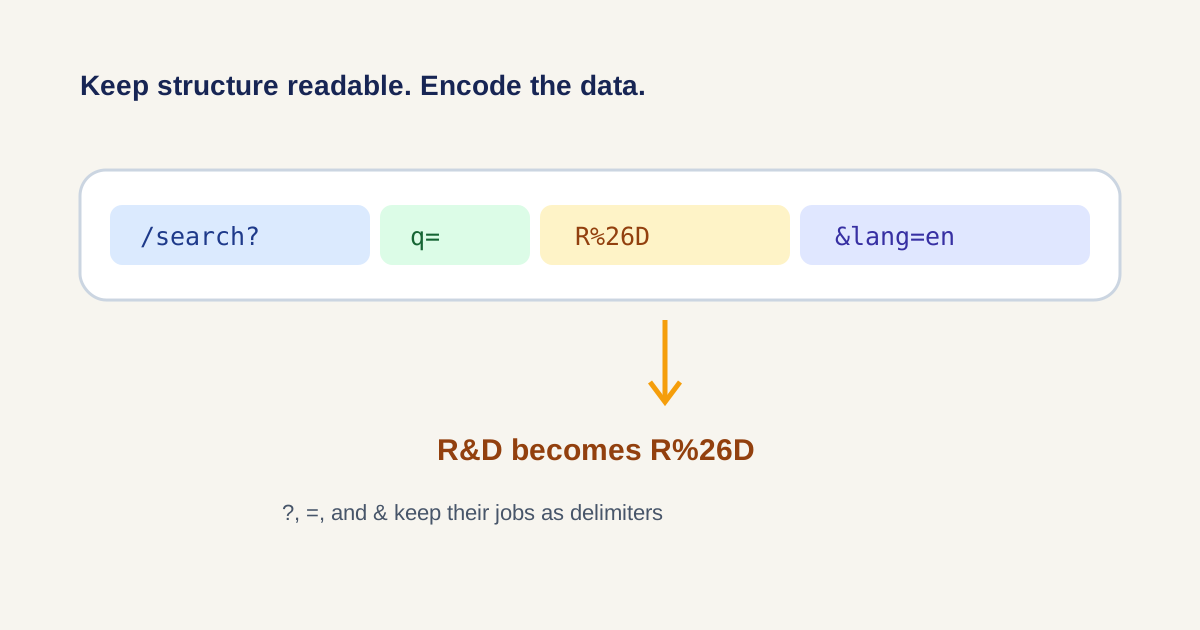
A support link works in the browser until a customer name contains an ampersand. The server then reads the text after that ampersand as a second parameter. The failure is not random: a reserved character inside the value has been mistaken for URL structure.
Start by separating structure from data
In a URL such as /search?q=R&D&lang=en, the question mark, equals signs, and ampersand are structural delimiters. The value R&D is data. Encode that value as R%26D before assembling the URL; do not percent-encode the entire finished address unless the whole address is itself being stored as another parameter.
A repeatable debugging tutorial
- Copy the smallest failing value, not a full production link with secrets.
- Encode the value with URL Encode/Decode and compare spaces, ampersands, plus signs, slashes, and non-ASCII characters.
- Insert the encoded value after the correct query key while leaving ?, =, and & in place.
- Open the result and inspect what the receiving application actually parsed.
- Decode a captured parameter when logs contain percent sequences and you need the human-readable value.
Do not double-encode percent signs
If R%26D becomes R%2526D, the percent sign was encoded a second time. Track which layer owns encoding: the UI, an HTTP client, a redirect builder, or the destination. Encode once at the boundary where raw data becomes a URL component.
FAQ
Should I encode a complete URL?
Usually no. Encode individual path segments or query values. Encode the complete URL only when it is being placed inside another value, such as a redirect parameter.
Why does an ampersand break a query value?
An ampersand separates query parameters. Inside a value it should normally be percent-encoded as %26.
Why do I see %2520 instead of %20?
The existing %20 sequence was encoded again, turning % into %25. Find the second encoding step and keep one layer responsible.