Inspect Image Dimensions and Color Data Before AI and Camera Files Enter the Same Pipeline
Use an Image Metadata Viewer to normalize mixed image sources as AI-generated assets, phone photos, and exports enter one publishing workflow.
Open Image Metadata Viewer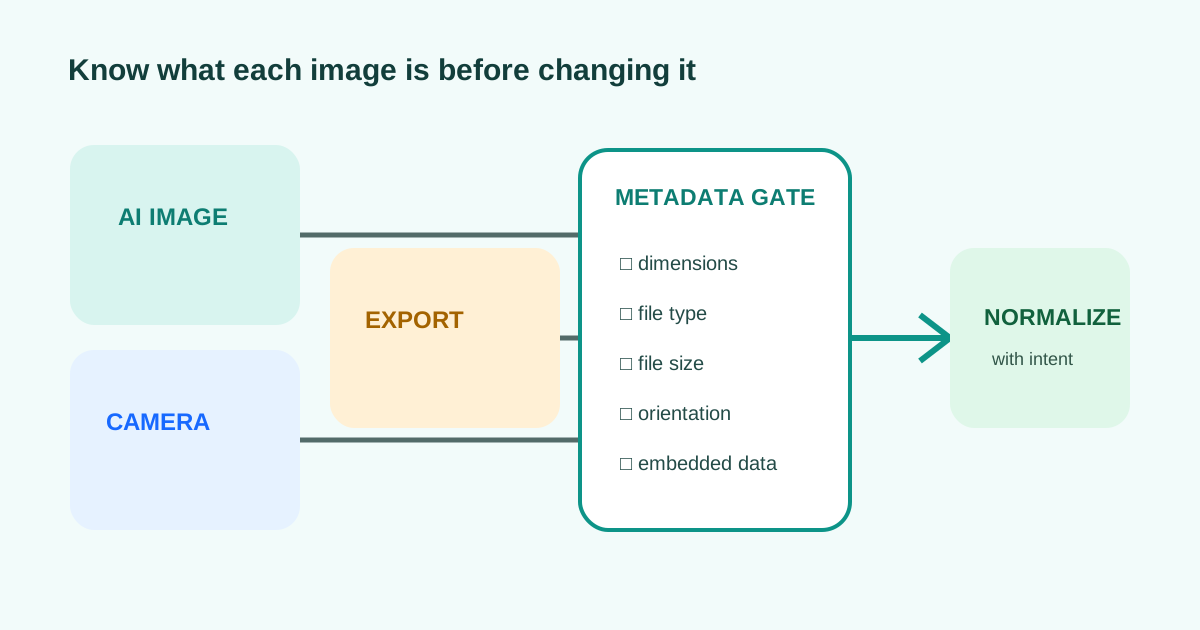
A content folder can mix phone photos, design exports, screenshots, and generated images. They may look compatible in a thumbnail while carrying different pixel dimensions, formats, file sizes, orientation data, or color information. A metadata check gives the pipeline a factual intake step before resizing or conversion changes the evidence.
Why mixed-source image intake needs a gate
- Record pixel width and height before choosing a crop or responsive slot.
- Confirm the real file type instead of trusting a renamed extension.
- Compare file size with the destination limit before applying compression.
- Note orientation and embedded metadata before stripping or converting the file.
- Open the visual itself after inspection; metadata cannot prove composition, sharpness, or rights to use the image.
Related UtilFlow links
Use Image Metadata Viewer at intake, Image Resizer after the destination dimensions are known, and Image Format Converter only when the receiving platform requires another format.
FAQ
Can metadata prove that an image was AI-generated?
No. Metadata may provide clues, but it can be missing, edited, or removed. Provenance requires stronger source records and content credentials where available.
Should I strip image metadata before publishing?
Review it first. Remove sensitive location or device details when needed, but preserve information required by your archive, rights, or production workflow.
Why check dimensions before resizing?
The original pixel dimensions reveal available resolution and aspect ratio, helping you avoid unnecessary upscaling or an accidental crop.