Measure the Base64 Overhead Before a Tiny Image Becomes a Large Inline Payload
Understand why Base64 image data grows beyond the binary file size and decide when a data URL is worth the transport and caching tradeoff.
Open Base64 Image Encoder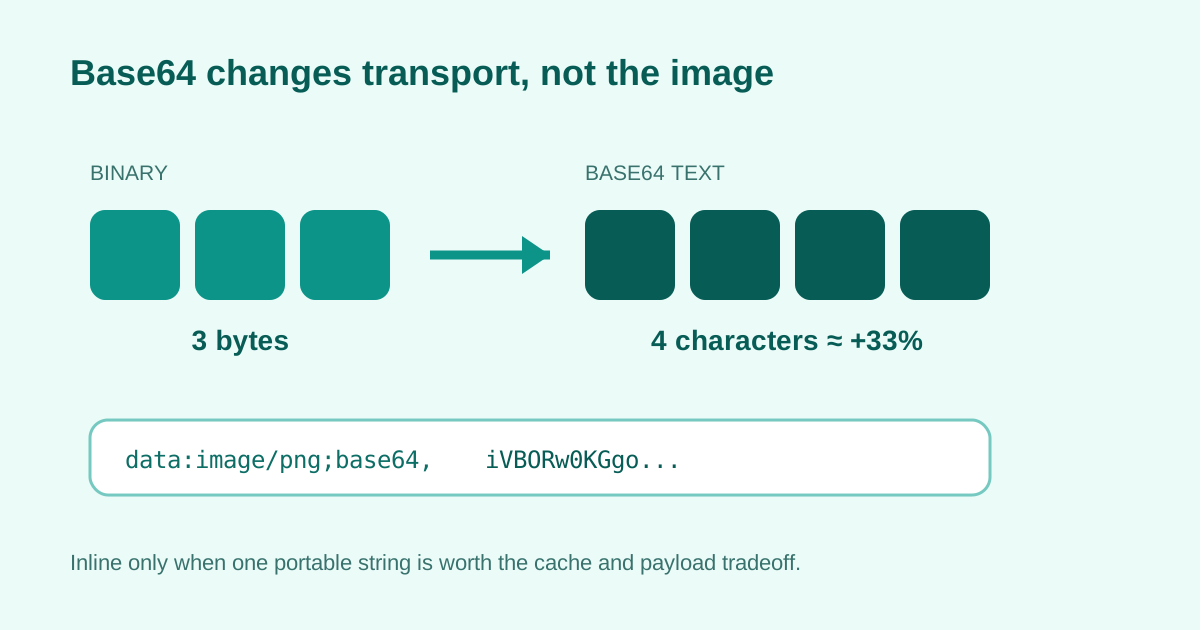
Base64 represents each 24 bits of binary input with four text characters. Before compression at the transport layer, that usually means roughly one-third more payload, plus the media-type and data-URL prefix. The convenience of one inline string is not free.
What the encoding changes
- Every three input bytes become four Base64 characters; padding appears when the byte count is not divisible by three.
- A data URL also includes a prefix such as data:image/png;base64, before the encoded content.
- Inlining can remove a separate file request, but it also prevents the image from being cached independently of the containing document.
- Use it for genuinely small, stable assets or constrained handoffs; keep larger reusable images as files with normal URLs.
Related UtilFlow links
Use Image Format Converter to choose the destination format, Image Compressor to reduce the underlying file when appropriate, and Base64 Image Encoder only after the final asset is small enough to inline.
FAQ
Does Base64 reduce image quality?
No. Base64 is a reversible text encoding of the existing bytes; any quality change happened during image conversion or compression.
Why is the Base64 string larger than the file?
Four text characters represent each three-byte group, producing about 33% raw encoding overhead before the data-URL prefix.
Should every small website image be inlined?
No. Consider caching, reuse, document size, update frequency, browser policy, and whether a normal asset request is already efficient.