Normalize the Sort Key Before a Line Sorter Puts Item 10 Before Item 2
Sort pasted lines reliably by separating display text from the key, normalizing numbers and dates, and handling duplicates deliberately.
Open Line Sorter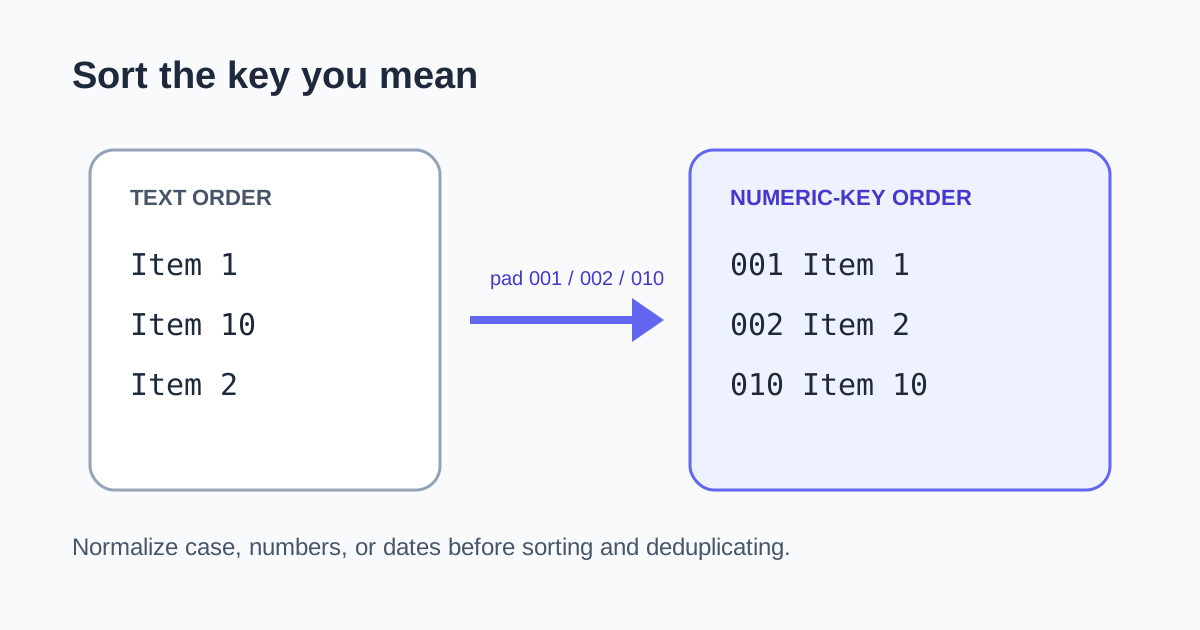
A pasted checklist sorts Item 1, Item 10, Item 2. The tool is comparing characters from left to right, so the zero in 10 is considered before the end of 2. The surprising order is valid lexicographic sorting, not a broken list.
Decide what each line is being sorted by
- Whole-line text works for ordinary alphabetical lists.
- Case-insensitive text avoids splitting capitalized and lowercase variants.
- Numeric values should be parsed as numbers rather than compared as strings.
- Dates are safest when normalized to YYYY-MM-DD before text sorting.
- A prefixed sequence such as 001, 002, 010 creates a sortable text key.
A dependable cleanup sequence
- Preserve a copy of the original list when order carries meaning.
- Trim accidental leading and trailing spaces.
- Normalize the part that should control order: case, number padding, or date format.
- Sort ascending or descending with Line Sorter.
- Remove duplicates only after deciding whether case and whitespace differences represent the same item.
Duplicate removal is a data rule
Alpha and alpha may be duplicates for a mailing tag list but distinct identifiers in a case-sensitive system. Sorting makes near-duplicates easier to inspect; it should not silently decide equivalence for you.
FAQ
Why does 10 sort before 2?
Text sorting compares characters, so the first character 1 comes before 2. Parse the values numerically or pad them to equal width.
How should I sort dates as text?
Normalize them to an ISO-like year-month-day format such as 2026-09-17 so chronological and lexicographic order match.
Should I remove duplicates before sorting?
Sorting first groups near-duplicates for review. Then choose the exact case and whitespace rules before removing anything.