Count PDF Pages Before a Portal or Split PDF Request Turns Into Guesswork
Use PDF Page Counter to establish a reliable page count before checking a portal limit, selecting a split range, or converting a document for a different handoff.
Open PDF Page Counter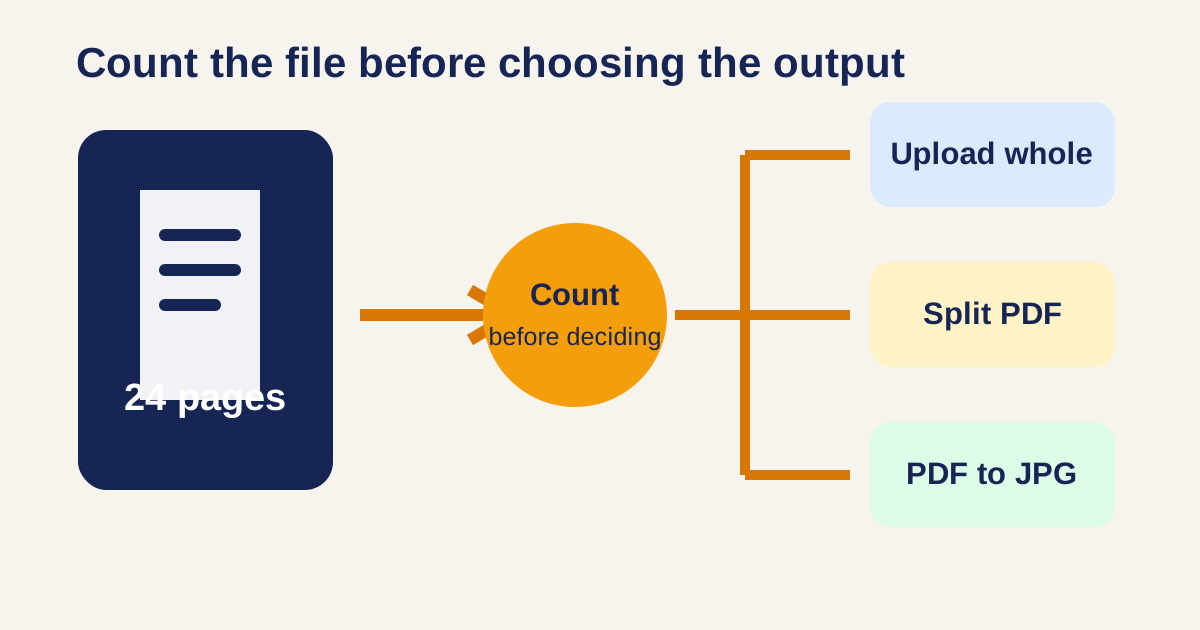
A portal says to upload only the relevant pages, but the source file has no visible page total and its printed page labels restart in an appendix. Count the actual PDF pages before choosing a range. That one check prevents a guessed split, a missing attachment, or a last-minute upload rejection.
Count first, then choose the smallest next step
- Open the source in PDF Page Counter and record the document total, not only the printed labels visible on a page.
- If the recipient accepts the whole file, stop after confirming the count and download nothing new.
- If the recipient needs a section, use the count to define a precise range in Extract PDF Pages or Split PDF, then open the result and count it again.
- If the recipient needs page images, use PDF to JPG or PDF to Images only after deciding which pages are required.
- Keep the source and the outgoing page range together in the handoff note so another reviewer can reproduce the choice.
Why PDF to JPG and split PDF belong at the decision point
Google Trends related-query checking for this PDF task surfaced “PDF to JPG” and “split PDF” as useful adjacent search language. They describe different exits: choose PDF to JPG when the destination needs visual image files; choose split PDF when it needs a smaller document with its original PDF form. A page count helps both routes without pretending they solve the same problem.
Related UtilFlow links
Use PDF Page Counter to establish the total, Extract PDF Pages when a known range should become one focused file, Split PDF when a document must become separate portions, and PDF to Images when a reviewer specifically needs visual page files.
FAQ
Is the PDF page count the same as a printed page number?
Not always. Printed numbering can start late, restart, skip covers, or omit appendices; the PDF page count refers to the actual pages in the file.
Should I split a PDF just because it has many pages?
Only if the recipient has a page, size, or topic boundary that requires a smaller file. Otherwise a counted, intact PDF may be easier to review.
When is PDF to JPG the better choice?
Use it when the destination explicitly needs images or visual markup. Keep a PDF when searchable document structure or a single packet is more useful.