Keep Percentage Points and Percent Change Separate Before a Small Shift Looks Twice as Large
Understand the technical difference between percentage-point movement and relative percent change before reporting rates, margins, or conversion metrics.
Open Percentage Calculator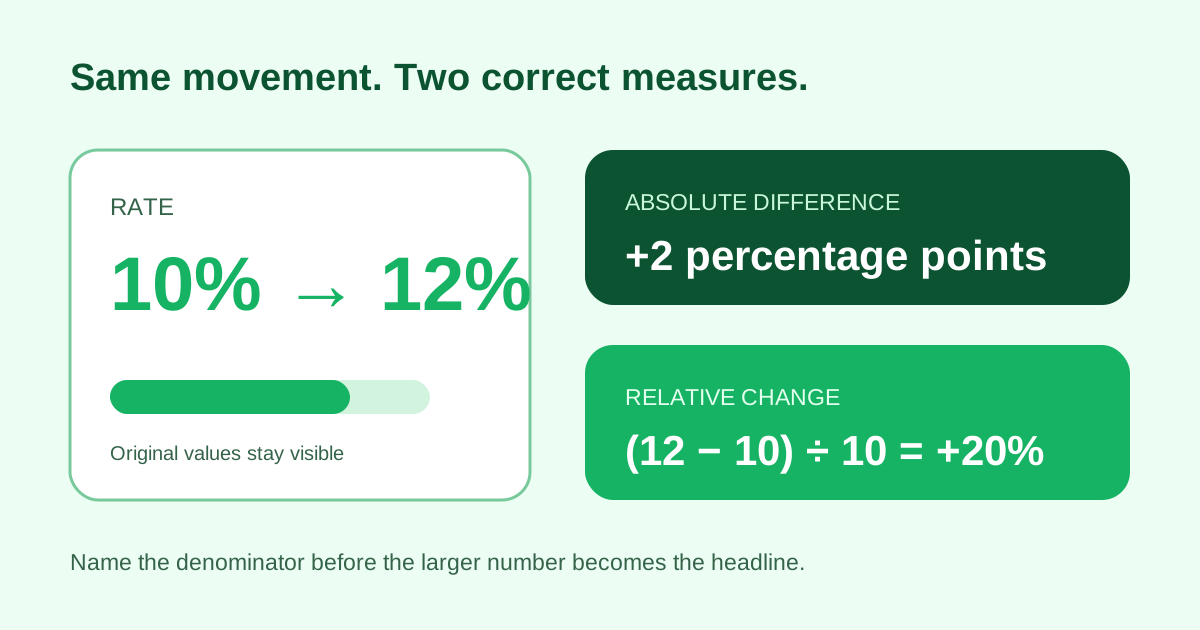
Moving from 10% to 12% is an increase of 2 percentage points, but it is also a 20% relative increase because the two-point gain is measured against the original ten. Both statements are mathematically valid; they answer different questions.
Two formulas, two meanings
- Percentage-point difference = new rate minus old rate: 12% - 10% = 2 points.
- Relative percent change = (new - old) / old × 100: (12 - 10) / 10 × 100 = 20%.
- Percent of a total answers a third question: part / whole × 100.
- Always name the baseline and keep the original values beside the calculated change.
Related UtilFlow links
Use Percentage Calculator for part-of-total, increase, decrease, and change checks; Bar Chart for a direct before-and-after comparison; and Waterfall Chart when several drivers must reconcile to a final result.
FAQ
What is the difference between percent and percentage points?
Percentage points subtract two rates directly; percent change divides the difference by the original rate.
Can percent change be calculated from zero?
The standard relative-change formula is undefined when the original value is zero. Report the absolute movement and context instead.
Which measure belongs in a KPI report?
Use the one that answers the decision question, label it explicitly, and show both original rates so readers can reconstruct it.