Move a Small Data Sample Between CSV and JSON Without Losing Meaning at the Column Boundary
Use CSV JSON Converter for a deliberate handoff between rows and objects, with checks for headers, data types, empty values, and commas inside fields.
Open CSV JSON Converter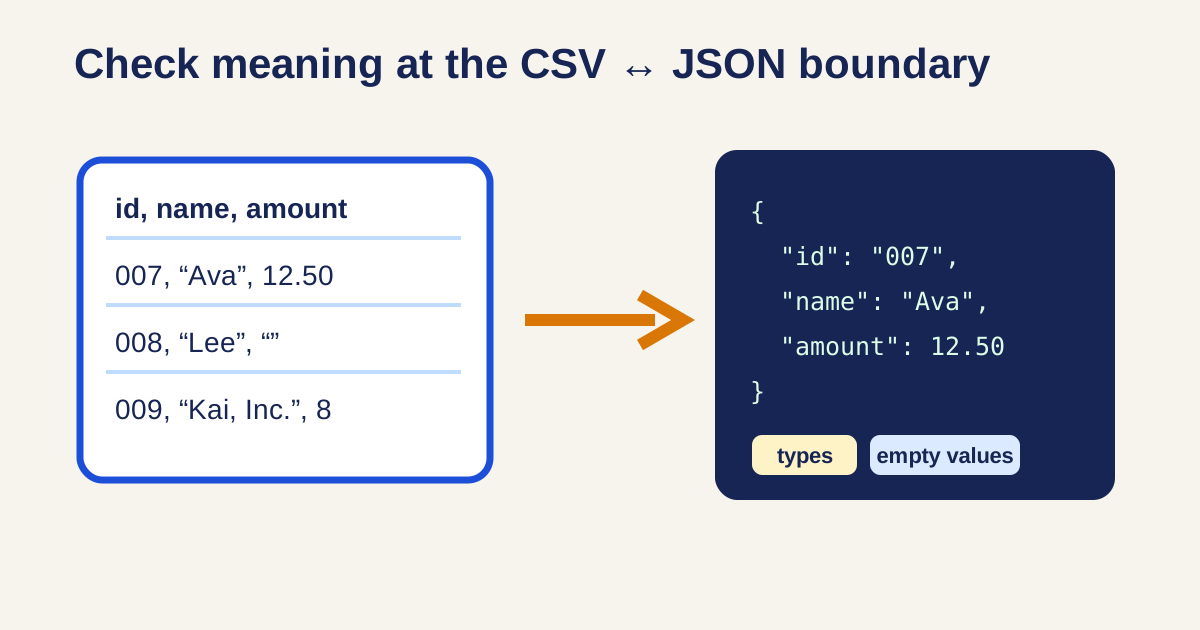
A support export arrives as CSV, while a test fixture or API tool expects JSON. The conversion itself is fast; the risk is assuming a column heading, blank cell, leading zero, or comma inside a quoted note means the same thing in both representations.
Validate the boundary, not only the output syntax
- Start with a small non-sensitive sample and confirm the first row is actually a header row.
- Use CSV JSON Converter to create the target format, then inspect one record field by field.
- Check identifiers with leading zeros, dates, currency, booleans, and blank cells; a valid JSON value can still be the wrong business meaning.
- Confirm text containing commas, quotes, or line breaks remains one field after parsing.
- Convert the reviewed sample back when possible and compare it with the source before using the mapping in a larger import or test.
Rows and objects optimize different jobs
CSV is compact and convenient for tabular exchange. JSON carries named fields and nested structure more naturally. Neither is universally better: choose the destination format that matches the importer, API, fixture, or analysis step, then preserve a plain-language data dictionary for values whose type is not obvious from the text.
Related UtilFlow links
Use CSV JSON Converter for the format handoff, JSON Formatter to inspect the resulting object structure, JSON Validator to catch malformed manual edits, and CSV Chart Maker when the same cleaned rows need a quick visual check.
FAQ
Does CSV preserve data types?
CSV stores text fields separated into columns; the receiving application decides whether a value becomes a number, date, boolean, or string. Verify important fields after conversion.
Why did a value with leading zeros change?
A destination may interpret it as a number. Treat codes, account-like values, and identifiers as strings when their formatting carries meaning.
Can I put commas inside a CSV field?
Yes, but the field must be quoted according to CSV rules. Inspect the converted record to make sure the parser kept it together.